

Wired vs. Wireless CarPlay: Which One Should You Choose?
Apple CarPlay has changed the way many drivers use their iPhones in the car. Instead of reaching for your phone to check directions, change music, make calls, or send a message, you can access those functions through your vehicle's display and controls.
But there is one decision that often causes confusion: wired vs. wireless CarPlay.
If your vehicle supports wired CarPlay, you connect your iPhone with a USB cable. Wireless CarPlay removes that cable, making it possible for CarPlay to start without physically plugging your phone into the vehicle.
That sounds simple, but there is an important detail many drivers miss: wireless CarPlay is not simply CarPlay over Bluetooth.
So, does CarPlay work with Bluetooth? Can you use CarPlay through Bluetooth? And is wireless actually better than a wired connection?
Let's break down how both systems work and where each one makes the most sense.
Wired vs. Wireless CarPlay at a Glance
| Feature | Wired CarPlay | Wireless CarPlay |
|---|---|---|
| Physical cable | Required | Not required for the phone |
| Initial connection | USB | Wireless pairing |
| Bluetooth | Not the main CarPlay data connection | Used as part of the connection process |
| Wi-Fi | Not required for the CarPlay connection | Used for the wireless CarPlay connection |
| Convenience | Good | Excellent |
| Setup | Usually straightforward | May require initial wireless pairing |
The best option depends less on which technology is "better" and more on how you use your car.
What Is Wired Apple CarPlay?
Wired Apple CarPlay connects your iPhone to a compatible vehicle or infotainment system using a USB connection.
Once connected, CarPlay can display supported apps and functions on the vehicle's screen. You can use navigation, music, phone calls, messages, Siri, and other compatible features through the vehicle's controls.
Apple's current setup guidance recommends connecting an iPhone to a compatible CarPlay USB port when the vehicle supports wired CarPlay.
For many drivers, wired CarPlay remains an excellent choice because it is straightforward:
- Start the vehicle.
- Connect your iPhone to the CarPlay USB port.
- Wait for CarPlay to appear.
- Use the vehicle's screen and controls.
There is also a practical advantage: your iPhone can charge while it is connected.
That can be particularly useful during long road trips when navigation, music streaming, cellular data, and other phone functions are being used for hours.
Advantages of Wired CarPlay
Wired CarPlay makes sense if you prioritize simplicity and charging.
Reliable physical connection: A cable provides a direct connection between the phone and the vehicle.
Phone charging: Your iPhone can charge while CarPlay is active.
Simple setup: There is no need to manage a wireless connection every time you get into the vehicle.
Less wireless configuration: If you prefer plugging in and driving, wired CarPlay keeps things simple.
The Main Drawback
The biggest disadvantage is obvious: the cable.
You need to connect your phone whenever you want to use CarPlay. The cable can also become inconvenient if your phone is in a pocket, bag, or mounted somewhere away from the USB port.
For some drivers, that small inconvenience is enough to make wireless CarPlay more appealing.
What Is Wireless Apple CarPlay?
Wireless Apple CarPlay provides the same general CarPlay experience without requiring your iPhone to remain physically connected to the vehicle.
Apple's support documentation explains that wireless CarPlay requires both Bluetooth and Wi-Fi to be enabled on the iPhone. Depending on the vehicle, the initial setup involves putting the vehicle into wireless or Bluetooth pairing mode and then selecting the vehicle under Settings > General > CarPlay.
This is where the most common CarPlay misunderstanding comes in.
Does CarPlay Work With Bluetooth?
Yes, Bluetooth can be part of wireless CarPlay setup, but Bluetooth alone is not the same thing as wireless CarPlay.
If you simply pair an iPhone to your car using Bluetooth, you may be able to make phone calls or stream audio, depending on the vehicle.
That does not automatically give you the full CarPlay interface.
Wireless CarPlay uses a combination of wireless technologies. Apple specifically instructs users with wireless CarPlay to make sure Bluetooth and Wi-Fi are both turned on.
So if you are searching for "can you do CarPlay with Bluetooth," the short answer is:
Bluetooth by itself is not enough for wireless CarPlay.
This distinction matters because traditional Bluetooth audio and CarPlay are two different experiences.
With Bluetooth audio, your car may simply receive sound from your iPhone.
With CarPlay, your vehicle can provide a compatible interface for supported navigation, communication, music, and other apps.
Can You Use CarPlay Through Bluetooth?
Not through Bluetooth alone.
A wireless CarPlay connection uses Bluetooth during the connection process and Wi-Fi for the wireless CarPlay connection. Apple recommends keeping both Bluetooth and Wi-Fi enabled when troubleshooting wireless CarPlay.
Think of it this way:
Bluetooth pairing is not the same as wireless CarPlay.
If your vehicle supports only standard Bluetooth audio but does not support CarPlay, turning on Bluetooth will not magically add the CarPlay interface.
Your vehicle needs to support CarPlay, either natively or through compatible hardware.
Wired vs. Wireless Apple CarPlay: What Is the Real Difference?
The actual CarPlay experience is broadly similar. The biggest difference is how your iPhone communicates with the vehicle.
With wired CarPlay, the physical USB connection handles the connection between your iPhone and the vehicle.
With wireless CarPlay, the connection happens without keeping the phone physically plugged into the vehicle. Bluetooth and Wi-Fi work together as part of that wireless experience.
That leads to a practical difference you notice every day.
Wired CarPlay
You get into the car, connect the cable, and CarPlay starts.
Wireless CarPlay
You get into the car, and after the wireless connection is established, CarPlay can start without you reaching for a cable.
For someone who makes several short trips every day, that difference can be surprisingly useful.

Which Is Better: Wired or Wireless CarPlay?
There is no universal winner.
The right choice depends on what matters most to you.
Choose Wired CarPlay If You Want:
- A simple physical connection
- Charging while using CarPlay
- A setup that does not depend on a wireless connection
- A good option for long drives
- Minimal wireless configuration
If you normally keep your phone connected to a charger during your drive anyway, wired CarPlay may be all you need.
Choose Wireless CarPlay If You Want:
- A cable-free driving experience
- Automatic or convenient connection after setup
- Easy access to CarPlay on short trips
- A cleaner dashboard setup
- Less need to plug and unplug your phone
Wireless CarPlay is especially attractive for drivers who regularly make quick trips. You can leave your iPhone with you instead of connecting and disconnecting a cable every time you start the car.
What About Charging?
This is one area where wired CarPlay has an obvious advantage.
When your iPhone is connected to the vehicle by USB, that same connection can provide power.
Wireless CarPlay does not eliminate the need to charge your phone. If your battery is low, you may still want to use a wireless charging pad, charging cable, or another compatible power source.
That creates a useful way to think about the two options:
- Wired CarPlay combines connectivity and charging.
- Wireless CarPlay separates connectivity from charging.
For some drivers, that difference alone makes wired CarPlay preferable.
Is Wireless CarPlay Reliable?
Wireless CarPlay can be very convenient, but the quality of the experience depends on the compatibility and implementation of the vehicle or wireless adapter.
Apple recommends checking both vehicle compatibility and iPhone settings when CarPlay does not work as expected. For wireless connections, Apple specifically recommends checking that Bluetooth and Wi-Fi are enabled.
If wireless CarPlay is not connecting properly, start with the basics:
- Confirm that the vehicle supports wireless CarPlay.
- Make sure Bluetooth is enabled.
- Make sure Wi-Fi is enabled.
- Check that CarPlay is enabled on the iPhone.
- Restart the iPhone and vehicle if necessary.
- Check the vehicle manufacturer's instructions.
- If you are using an adapter, confirm that the adapter is compatible with your existing CarPlay system.
It is also worth remembering that a wireless adapter does not turn every vehicle into a CarPlay vehicle. Compatibility with the vehicle's existing CarPlay system matters.
Can You Add Wireless CarPlay to a Car That Has Wired CarPlay?
In many cases, this is exactly what a wireless CarPlay adapter is designed to do.
The basic idea is straightforward. Instead of connecting your iPhone directly to the vehicle's wired CarPlay USB port every time, a compatible adapter stays connected to the vehicle. Your iPhone then connects to the adapter wirelessly.
This can be useful if your vehicle already supports wired Apple CarPlay but you want the convenience of a wireless connection.
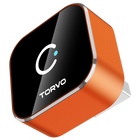
For drivers considering this setup, the TORVO Mini CarPlay and Android Auto is designed as a compact wireless solution and lists Bluetooth 5.4, dual-band Wi-Fi 6, iOS compatibility, Android compatibility, and an A9 chipset among its features.
Before purchasing any adapter, however, check your vehicle's existing CarPlay compatibility and the adapter's requirements. Compatibility should always come before convenience.
Wired vs Wireless CarPlay for Different Driving Habits
Your daily routine can make the decision easier.
If You Mostly Drive Long Distances
Wired CarPlay can be a strong choice because your iPhone can remain connected and charging throughout the journey.
If You Make Lots of Short Trips
Wireless CarPlay is often more convenient. You do not have to find the cable, connect your phone, and unplug it again when you reach your destination.
If Your Phone Battery Is Usually Low
Wired CarPlay has an advantage because the phone can charge through the USB connection.
If You Prefer a Clean Dashboard
Wireless CarPlay can reduce cable clutter around the center console.
If You Want the Simplest Possible Setup
Wired CarPlay is difficult to beat for straightforwardness. Plug in the phone and use CarPlay.
Why Does Wireless CarPlay Sometimes Take Longer to Connect?
Wireless connections involve more steps than simply inserting a cable.
The iPhone and vehicle need to recognize each other and establish the appropriate wireless connection. Apple notes that wireless CarPlay setup involves Bluetooth and Wi-Fi, with the exact process depending on the vehicle.
If the connection seems inconsistent, check whether another phone is attempting to connect first. Also verify that the correct vehicle is selected under the iPhone's CarPlay settings.
For persistent problems, Apple's CarPlay troubleshooting guidance is a useful starting point.
Wired vs. Wireless CarPlay: Which One Should You Choose?
If you want the most direct answer, use this rule:
Choose wired CarPlay if reliability, simplicity, and charging are your priorities.
Choose wireless CarPlay if convenience and a cable-free experience matter more.
Neither option is inherently better for every driver. Wired CarPlay remains practical and dependable, while wireless CarPlay makes everyday driving more convenient by removing one small but repetitive task.
And if your car already has wired CarPlay, you may not need to replace the entire infotainment system to get that convenience. A compatible wireless CarPlay adapter can be a practical way to change how you connect your iPhone.
For more vehicle technology tips and troubleshooting advice, you can also explore TORVO's Tips & Fix blog.
Frequently Asked Questions
Does CarPlay work with Bluetooth?
Wireless CarPlay uses Bluetooth as part of the connection process, but Bluetooth alone does not provide the complete CarPlay experience. Wireless CarPlay also relies on Wi-Fi. Apple recommends having both Bluetooth and Wi-Fi enabled for wireless CarPlay.
Can you do CarPlay with Bluetooth?
Not with Bluetooth alone. Your vehicle must support CarPlay, and wireless CarPlay uses Bluetooth and Wi-Fi to establish the wireless connection.
Can you use CarPlay through Bluetooth?
You cannot use full CarPlay simply by pairing your iPhone through standard Bluetooth. Bluetooth audio can provide music and calls in compatible vehicles, but CarPlay is a separate system.
Is wired CarPlay better than wireless?
Not necessarily. Wired CarPlay offers a direct physical connection and can charge your iPhone at the same time. Wireless CarPlay is more convenient because you do not need to connect your phone with a cable.
Does wireless CarPlay need Wi-Fi?
Yes. Wireless CarPlay uses Wi-Fi as part of its connection. Apple recommends checking that both Wi-Fi and Bluetooth are turned on when setting up or troubleshooting wireless CarPlay.
Can I use a wireless CarPlay adapter with my car?
It depends on the vehicle and the adapter. Many wireless adapters are designed for vehicles that already have wired CarPlay. Always verify compatibility before purchasing.
Does wireless CarPlay use my mobile data?
CarPlay itself is not a replacement for your iPhone's internet connection. Apps such as navigation and music streaming may still use your iPhone's cellular data when required.
Why does my car have Bluetooth but not CarPlay?
Bluetooth and CarPlay are different technologies and features. A vehicle can support Bluetooth phone calls and audio without supporting Apple CarPlay. Check your vehicle's specifications or owner's manual to confirm whether CarPlay is supported. Apple also recommends contacting the vehicle manufacturer if you are unsure about compatibility.
Final Takeaway
The wired vs. wireless CarPlay decision ultimately comes down to convenience versus the benefits of a physical connection.
Wired CarPlay is simple, dependable, and useful when you want your iPhone charging while you drive. Wireless CarPlay gives you a cleaner, more convenient experience and eliminates the need to connect your phone every time.
The most important point to remember is that wireless CarPlay is not simply Bluetooth CarPlay. Bluetooth plays a role in establishing the wireless connection, while Wi-Fi is also required.
If your vehicle already supports wired CarPlay and you want to stop reaching for a cable on every drive, a compatible wireless CarPlay adapter may be worth considering.
Comments (0)
Leave a reply